Data in. Labels out.
Every connote accountable.

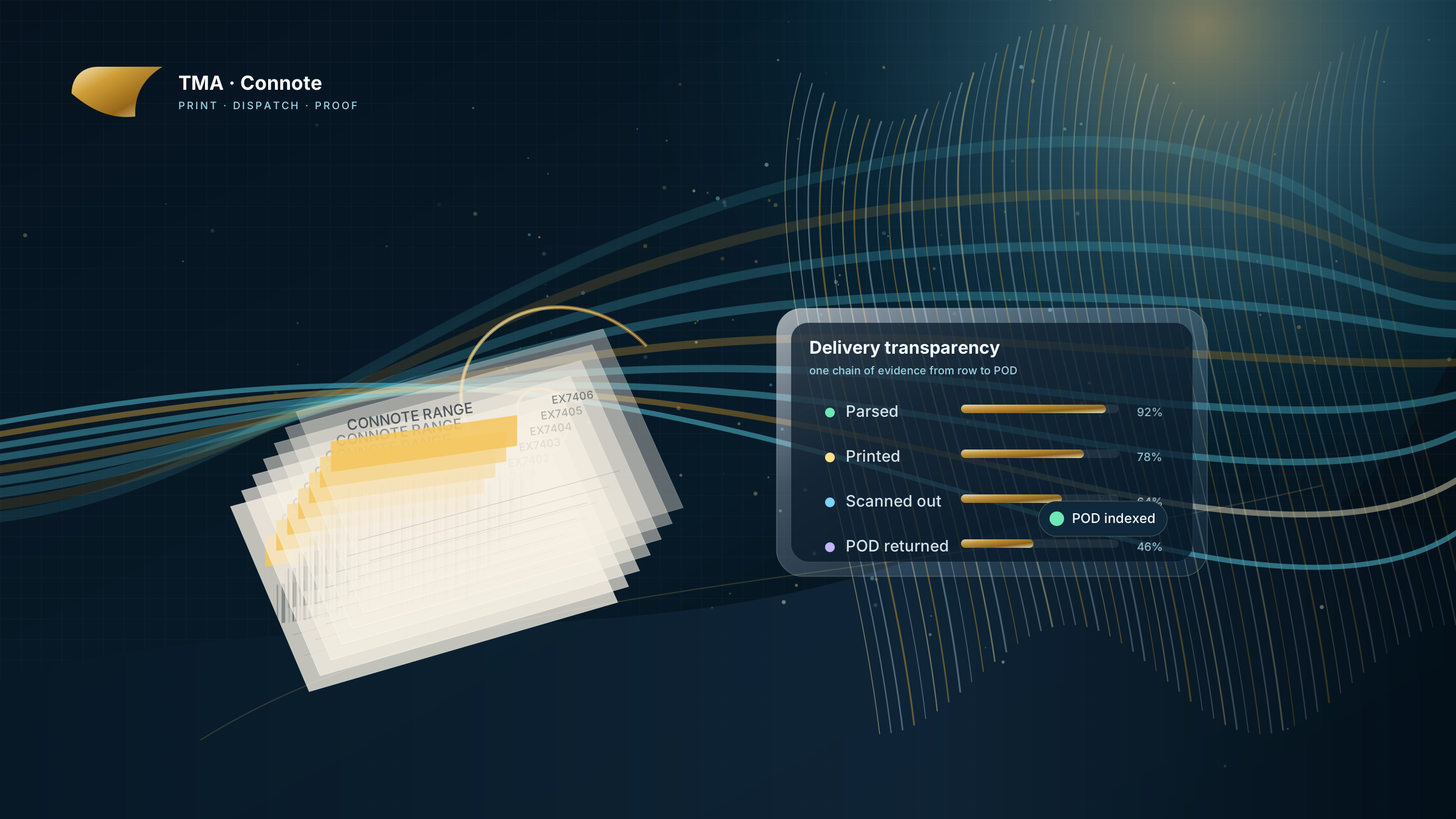
We do not sell freight, and we are not another carrier dashboard. We are the engineered structure between a freight provider's daily sales extract and the printed consignment notes their customers receive — with stock, scans, milestones and proof of delivery captured on the way through.

The operating ribbon

An unbroken line through a complex operation.

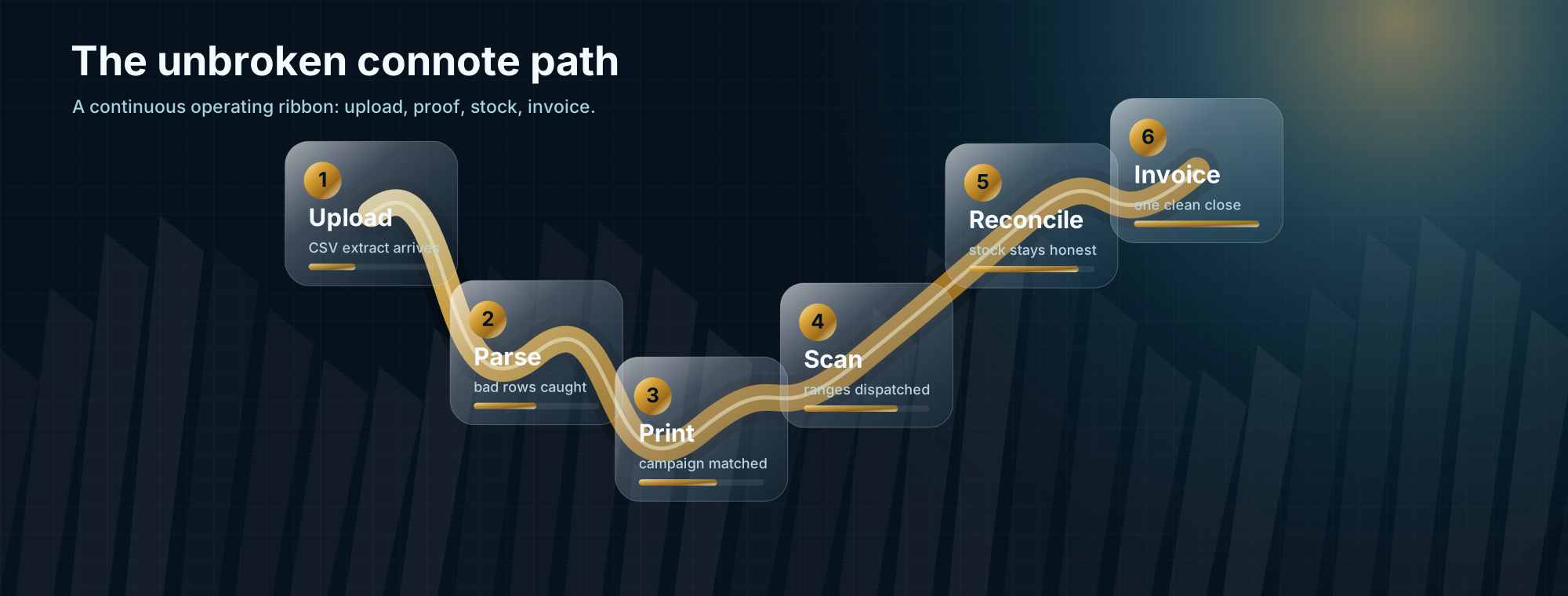
Six steps; one continuous path. The customer experience and the back-office reconciliation are the same pipeline, not two different systems waving at each other through a spreadsheet.

A continuous golden ribbon connecting six workflow steps: Upload, Parse, Print, Scan, Reconcile, Invoice
  1. 01

    Upload

    Sales extract dropped in by the freight provider, tied to their account.

  2. 02

    Parse

    Every row validated server-side. Malformed rows surface with line numbers before anything moves downstream.

  3. 03

    Print

    XMPie uProduce campaign matched to each row's product code; variable data rendered against the right layout.

  4. 04

    Scan

    Barcode scanners capture the start and end of each contiguous dispatch range as connotes leave the building.

  5. 05

    Reconcile

    One daily customer order in Syteline 10 — one line per item shipped, total quantity for the day. Stock counts stay current.

  6. 06

    Invoice

    At month-end the daily orders consolidate into a single customer invoice. Predictable for AP, accurate for ops.

Delivery transparency

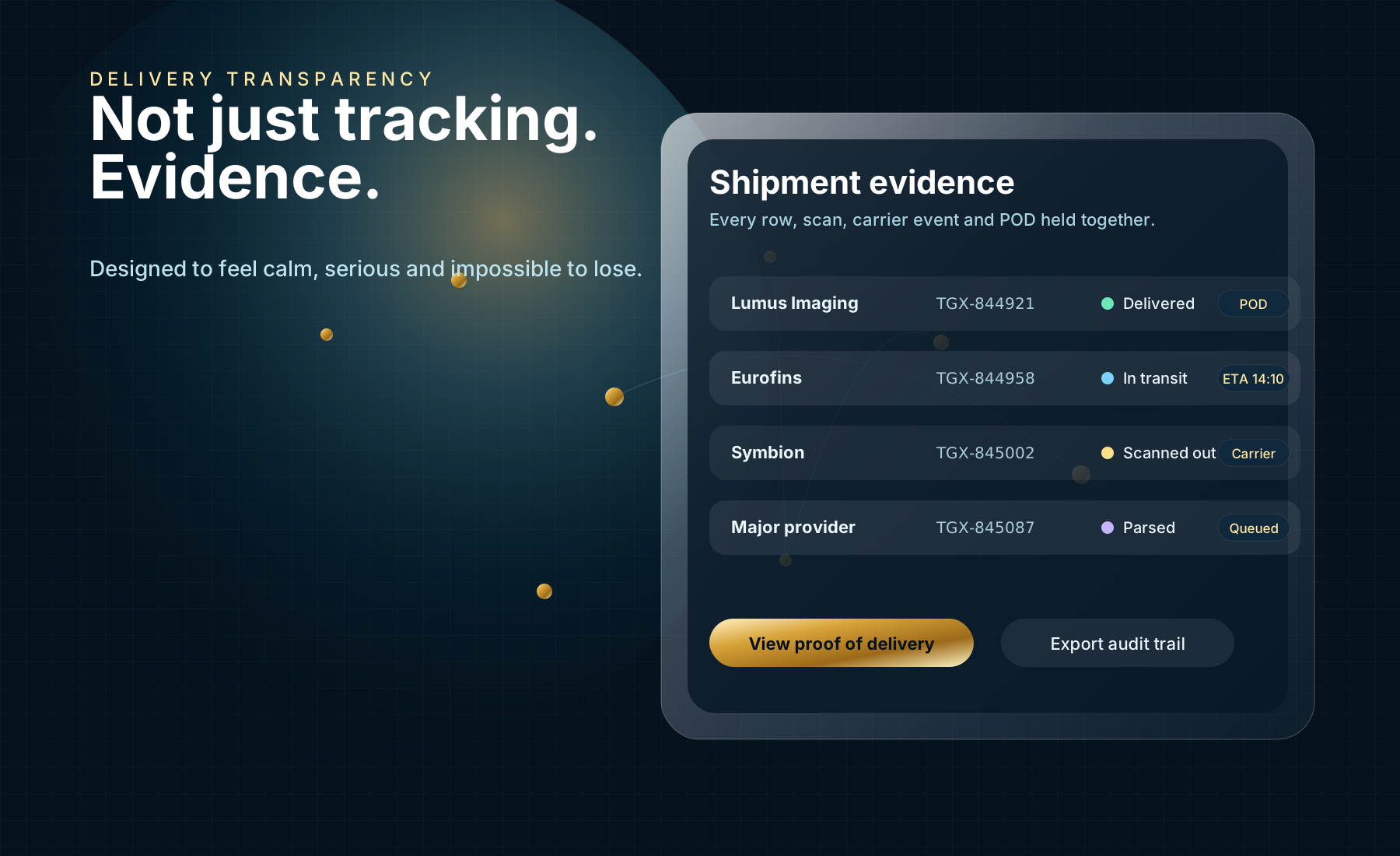
Not just tracking. Evidence.

From the moment a row is uploaded to the moment a proof of delivery returns, every connote carries a complete chain of evidence. Operators read it from one screen; customers see their own slice of it from theirs.

  • Upload audit — who uploaded the file, from which Microsoft account, at what time, with which batch reference.
  • Parse outcome — every row's validation status preserved alongside the original.
  • Campaign + scan history — the print campaign chosen for each row, the contiguous range scanned at dispatch, the operator who scanned it.
  • Carrier milestones — status events returned by the carrier matched to the right shipment automatically.
  • Proof of delivery — the POD PDF attached to the dispatch row the instant it returns, visible without an email round-trip.
Layered glass panels showing rows, scans, milestones and proof-of-delivery records stacked as evidence

Who it's for

Three readers; one operating picture.

Freight providers

Outsource print, dispatch and reconciliation.

You supply the daily sales extract; we handle the variable- data print, the dispatch capture, and the Syteline stock accounting. Daily orders, monthly invoice, damaged stock written off — not billed.

  • Upload format we already know — no rework needed
  • XMPie campaigns matched automatically
  • Stock count current from the moment connotes ship
Freight users

See every dispatch and every delivery for your account.

View the consignments shipped against your account, with carrier, tracking and proof of delivery on the row. Pull the end-of-day shipment CSV from the browser.

For Toll preprinted labels today, contact your customer service representative — direct ordering for end customers is coming.

IT decision-makers

Stock Syteline, observable platform, real audit.

The financial truth lives in vanilla Syteline 10 — no custom tables, no bolt-on procedures. The operational detail lives in the web app and the .NET integration platform that sits behind it. Both sides are auditable.

  • Microsoft 365 sign-in; no separate accounts
  • Per-event audit trail across the pipeline
  • Replaces a legacy Syteline 9 / LMA workflow cleanly
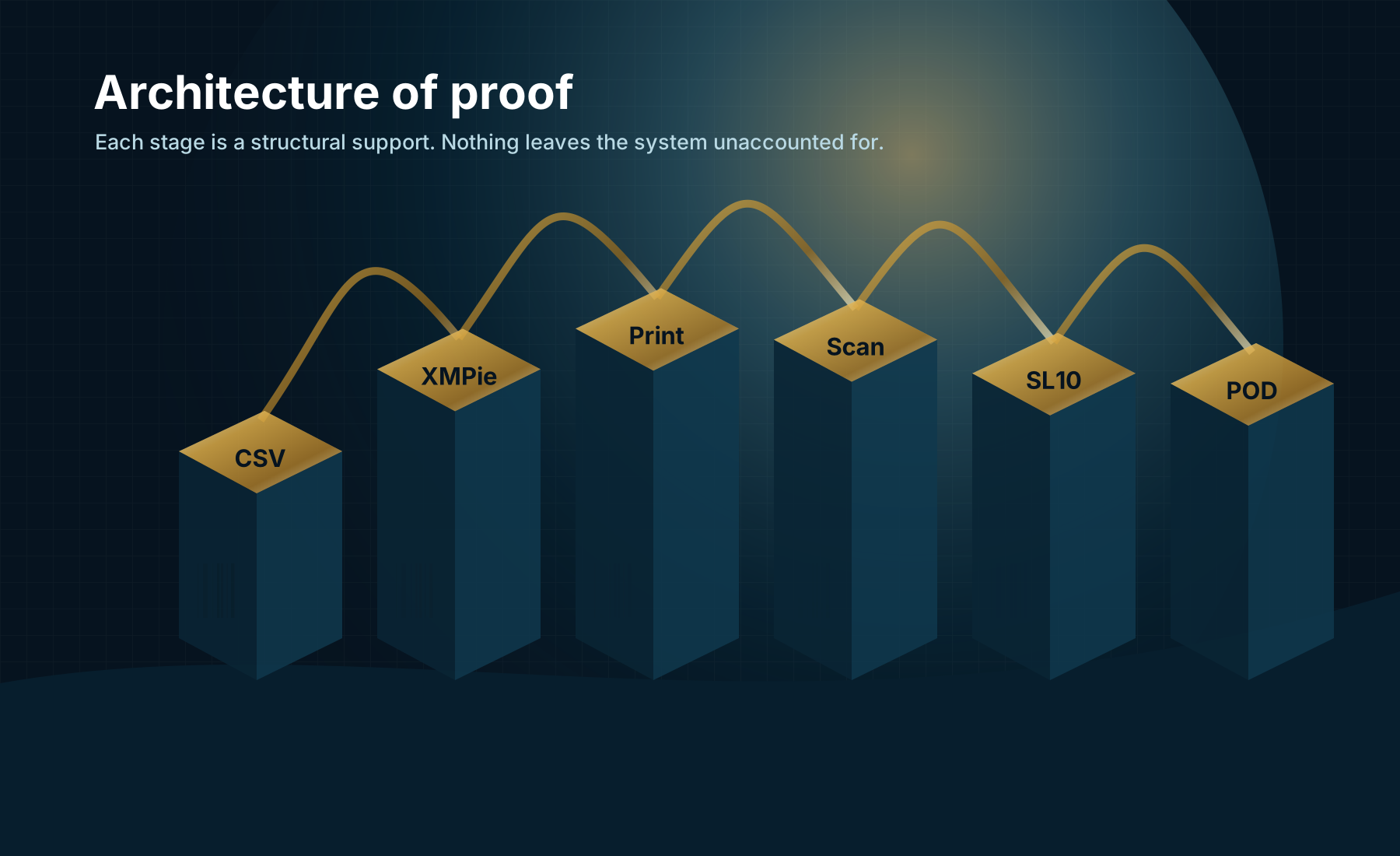
Cross-section diagram of the integration platform connecting the web app, XMPie uProduce, Syteline 10 and the audit trail

Architecture of proof

A serious system, behaved like one.

A .NET 8 integration platform sits between the web app, the print engine and the ERP. Every order, every scan, every milestone is a recorded event — not a transient call. When something needs to be retraced six months later, it can be.

Web app
Next.js + Microsoft Entra ID sign-in. Holds the per-row operational data and customer-facing views.
Integration platform
.NET 8, MassTransit-driven. Owns the contracts between the web app and the upstream systems.
Print engine
XMPie uProduce. Variable-data campaigns matched to each row's product code; one campaign per layout.
ERP
Stock Syteline 10. One customer order a day, one invoice a month, stock-on-hand always derived from the day's actual ship-out.

Sign in or get in touch

Ready to see the whole line?

TMA staff sign in with a tmagroup.com.au address and land in the operator console. Customer staff sign in with the Microsoft account TMA has linked to their account and see only their own data.

For Toll preprinted labels today, contact your customer service representative. Direct ordering for end customers is coming.